For everyone who talks to the camera
You film.We turn it into a video people actually watch.
Upload your video. The AI cuts the pauses and the ums, then adds captions, graphics, zooms and music. Done in minutes – not hours in editing software.
Picture this: your next reel is ready before your coffee gets cold.
- No credit card needed
- From €0.40 per video
- Ready in minutes
- English · Deutsch · Español
Music & sound
What’s inside Klarframe Motion
- 26ready-made styles
- 29kinds of graphics
- 15caption styles
- 11color looks
- 12sound effects
- 6music tracks
- 3languages
Sound familiar?
You’ve got something to say. Then editing eats your whole evening.
- Editing
You spend hours in editing software – for a single minute of video.
- Captions
You type out captions by hand. Word by word. And still spot a typo after you post.
- Look
Your video has a great message, but it looks like a phone clip. Not like a pro made it.
- Viewers
People swipe away after three seconds. Hardly anyone makes it to the end.
- Budget
An editor costs too much. And you don’t have time for an editing course.
It can be easier, starting today.
You do what you do best: talk. Klarframe Motion handles the rest – from the first cut to the last graphic.
Example in German · style “Business Punch” · excerpt
Real example
Same video. Completely different impact.
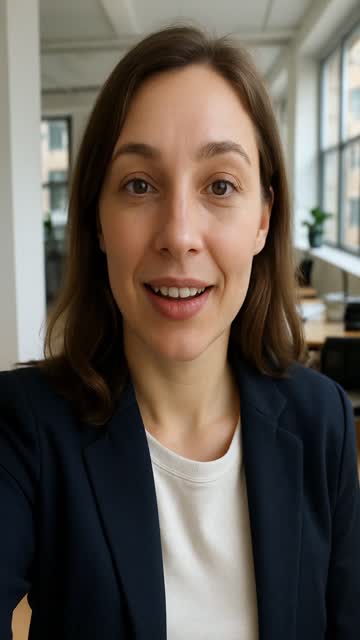
On the left, the recording straight off the phone. On the right, what Klarframe Motion made of it – no human touched it. Drag the slider to compare.
- shorter – and nothing’s missing
- 68 s → 45 s
- pauses and ums removed
- 21
- graphics, right on cue
- 11
- zooms for pace
- 13
- matching sounds
- 19
What happened in 68 seconds
A look inside the edit.
- 1
Listen
The AI listens to your video and writes down every word – timed to the hundredth of a second.
- 2
Cut
It finds 21 pauses, slip-ups and ums and cuts them out. 68 seconds become 45.
- 3
Design
When Lena says “50,000 customers”, a counter ticks up. When she lists three reasons, a list appears. 11 graphics, 13 zooms, 19 sounds – all on the beat.
- 4
Check
Finally, the AI looks at still frames: is a graphic covering the face? Is text cut off? If so, it fixes it.
How it works
Three steps. No editing software.
- 1
Upload your video
Straight from your phone or computer. You talk to the camera – up to 10 minutes.
- 2
Pick a style
Tap the look that suits you. If you like, add a note about what matters to you.
- 3
Download it
A few minutes later, your video is ready. Something bugs you? Just say so in the chat.
What you get
Not more buttons. More impact.
People keep watching.
Say a number and it counts up. Mention tips and a list appears. There’s always something new for the eye.
“We grew by 240%” – and in that very second, the number is on screen.
You get to the point.
Pauses, slip-ups and ums are gone. What’s left is what matters – and it doesn’t feel choppy.
Tripped over a word? Just keep talking. That bit won’t be there later.
People get it, even with the sound off.
Lots of people watch on mute. Your words show up big on screen, word by word, in your style.
On the train, in a waiting room, in bed at night – your message still lands.
It feels professionally made.
Smooth zooms, fitting sounds, background music and a color look that ties it together. All in tune.
No double-checking needed.
The AI reviews its own work and fixes things when a graphic is in the way or a text doesn’t fit.
You stay in charge.
Don’t like something? Just type it. Or change it yourself in the editor. Changes are free.
Who it’s for
For everyone who’d rather talk than edit.
Pick what you do – and see what your video could look like.
Coaches & consultants
Every week you share an idea with your community. Klarframe Motion turns it into a calm, warm video with captions – you come across as approachable and competent.
- You say
- “Three questions to ask yourself before any big decision.”
- In the video
- The three questions appear as a list – one by one, right as you ask them.
- Matching style
- 🌿Warm Coach
Freelancers & trades
You quickly show what you do – between two jobs, on your phone. It becomes a video customers understand and love to share.
- You say
- “Here’s how to tell if your boiler needs a service.”
- In the video
- The key points show up as a checklist. The captions look like they were typed right in the app.
- Matching style
- 📱App Native
Real estate agents
You present a new listing. Size, rooms, location – the key facts appear exactly when you say them.
- You say
- “1,300 square feet, four rooms, five minutes from the lake.”
- In the video
- The numbers count up and a pin marks the location.
- Matching style
- 🏡Real Estate
Restaurants & food
You talk about a new dish or share a recipe. Warm colors and handwritten captions make people hungry.
- You say
- “Today’s tip: just five ingredients and twenty minutes.”
- In the video
- The ingredients appear as a list, the twenty minutes as a big counter.
- Matching style
- 🍝Food & Taste
Fitness & sports
You explain an exercise or fire up your people. Hard cuts and bold type give your video energy.
- You say
- “Three squat mistakes almost everyone makes.”
- In the video
- Each mistake gets a big keyword, plus short, punchy zooms.
- Matching style
- 💪Fitness Power
Companies & recruiting
You’re hiring or explaining a product. Team members talk to the camera – and it becomes a clear, professional video, with your colors and logo if you like.
- You say
- “We’re looking for you: 30 days off and a team that sticks together.”
- In the video
- The perks appear as a list, with your logo sitting neatly in the corner.
- Matching style
- 🏢Corporate
Creators
You post a lot and need speed. Bold captions, fast zooms and sound effects – like the big channels, minus the editor.
- You say
- “This changed everything – and it won’t cost you a thing.”
- In the video
- Keywords pop onto the screen, with matching sounds and quick zooms.
- Matching style
- 💰Business Punch
Styles
One tap – and your video has its own look.
26 ready-made styles, from calm and classy to loud and colorful. Or build your own – with your colors, your font and your logo.
Business Punch
Bold yellow captions and fast zooms — like the big business creators.
Clean & Simple
Calm, subtle captions and few graphics — elegant and relaxed.
Tech Neon
Glowing neon text and digital effects — perfect for tech and AI.
Luxury
Gold, black and lots of calm — for premium brands and products.
Editorial
Like a stylish magazine: marker captions, clean lines, paper tones.
Retro VHS
Old videotape look with noise and pixel font — pure 80s feeling.
Warm Coach
Warm tones, friendly type and a calm pace — close and trustworthy.
App Native
White text boxes as if typed right in the app — natural and relatable.
+ 18 more stylesYour own style, your colors
An honest comparison
Three ways to get your video.
| Edit it yourself | Hire an editor | Klarframe Motion | |
|---|---|---|---|
| Time for 1 minute of video | typically 1–3 hours | usually a 1–3 day wait | a few minutes |
| Cost | Editing software + lots of your time | approx. €30–150 per video | from €0.40 per video |
| Skills you need | Learn editing, captions and design | Write a good brief | None – just talk |
| Changes | Back to the timeline | Feedback rounds, often extra | Via chat, free |
| Result | Depends on your practice | Custom and creative | Captions, graphics, zooms and sound – every time |
Rough estimates, not guarantees – they vary by video and provider. For elaborate ads with multiple cameras, a professional editor is still the right call.
Pricing
Pro-looking videos from €0.40 each.
1 credit = 1 video up to 2 minutes. Buy once, no subscription. Your credits last 24 months.
Start
€9
10 credits for 10 videos
€0.90 per video
Start with 3 free videosCreator
€19
30 credits for 30 videos
€0.63 per video
Start with 3 free videos- Popular
Pro
€39
80 credits for 80 videos
€0.49 per video
Start with 3 free videos Studio
€79
200 credits for 200 videos
€0.40 per video
Start with 3 free videos
One-time payment. All prices include VAT.
What costs what?
| New video up to 2 minutes | 1 credit |
|---|---|
| Longer video: every extra 2 minutes started | +1 credit |
| Changes via chat or in the editor | free |
| Extra format (e.g. 16:9) | free |
| A different style (3× per video) | free |
Up to 10 minutes per video (= 5 credits). From the 4th style change, a new style costs the same as a new video. 15 AI changes per video are free, then 1 credit for 15 more.
Zero risk for you.
- 3 free videos – no credit card.
- Technical hiccup? Your credits come back automatically.
- Changes, extra formats and up to 3 different styles cost nothing.
- No subscription, nothing to cancel.
Your videos don’t sit on someone else’s servers forever.
Only you can see your videos. Once finished, they’re ready to download for 24 hours – after that, we automatically delete the recording and the finished video.
Download your video within 24 hours.
I’m not a tech person. Can I do this?
Yes. You upload a video, tap a style and hit start. That’s it. Everything else is optional.
What kind of videos work?
Videos where someone talks – for example, straight to the camera. Up to 10 minutes and 1 GB. Portrait, landscape or square.
Are phone recordings okay?
Absolutely – that’s the usual case. Upload straight from your phone. Tip: find a quiet spot with light in front of you.
How long does it take?
Usually just a few minutes – longer videos take longer. In our test, a 23-second video was done in just over 4 minutes. You can close the page and come back later.
Won’t it look like AI made it?
The AI works behind the scenes. What you see is clean cuts, easy-to-read captions and graphics that match what you say. You pick the style – and change whatever you don’t like.
What if I don’t like the result?
Just say so in the chat, like “Fewer graphics” or “Different colors”. Changes are free. You can also pick a completely different style – 3 times per video, free.
Can I make changes myself?
Yes. In the editor you can move graphics and change texts, colors, captions and music – no experience needed.
Which languages work?
The site is available in English, German and Spanish. Captions and graphics are created in the language spoken in your video.
What does it cost? Do credits expire?
1 credit = 1 video up to 2 minutes. Packs start at €9, one-time, no subscription – that’s from €0.40 per video. Your credits last 24 months from purchase. You get 3 videos free to start.
Do I own the video? Is the music free to use?
Yes, the finished video is yours. Show it anywhere, including for your business. We create the music and sound effects ourselves – you’re free to use them in your video.
Who can see my videos? How long are they stored?
Only you. Finished videos are ready to download for 24 hours; after that, we automatically delete the recording, working files and finished video. The project stays in your list as “expired” – to edit it again, just upload the video again. We don’t use your videos to train our own AI.
Do long videos work too?
Yes, up to 10 minutes per video. You need 1 credit for every 2 minutes started – so a 10-minute video costs 5 credits. The AI only trims pauses and slip-ups; your content stays in.
Your next video can be ready in a few minutes.
Upload it now. The first 3 videos are on us.
No credit card. No subscription. Ready in minutes.